Partner material: prepared as part of the Adspect.ai × SmartShop cross-promotion.
Running traffic to iOS and Android apps in 2026 comes down to one systemic problem. Google Play and App Store moderators, as well as advertising account reviewers, see the same content as ordinary users. If the paywall, price, rebilling terms, or WebView containing an offer are the same for everyone, the app or advertising campaign can quickly face restrictions.
Classic web cloaking helps only partially here. The main content lives inside the app, not on the landing page. That is why a separate mechanism is needed: the app itself decides which elements to display to a particular visitor.
In this article, we will look at how it works in practice: which scenarios exist, how to configure a flow in Adspect, and what to pay attention to so that a moderator and a target user see different content.
Introduction: What Is Cloaking?
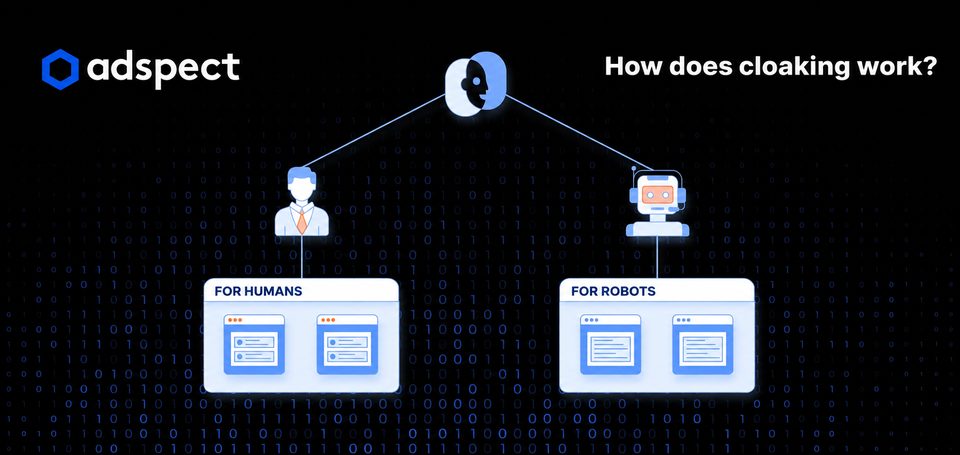
Cloaking is a traffic-filtering technology that allows different visitors to see different content based on selected parameters, such as IP address, device type, user behavior, traffic source, and others.
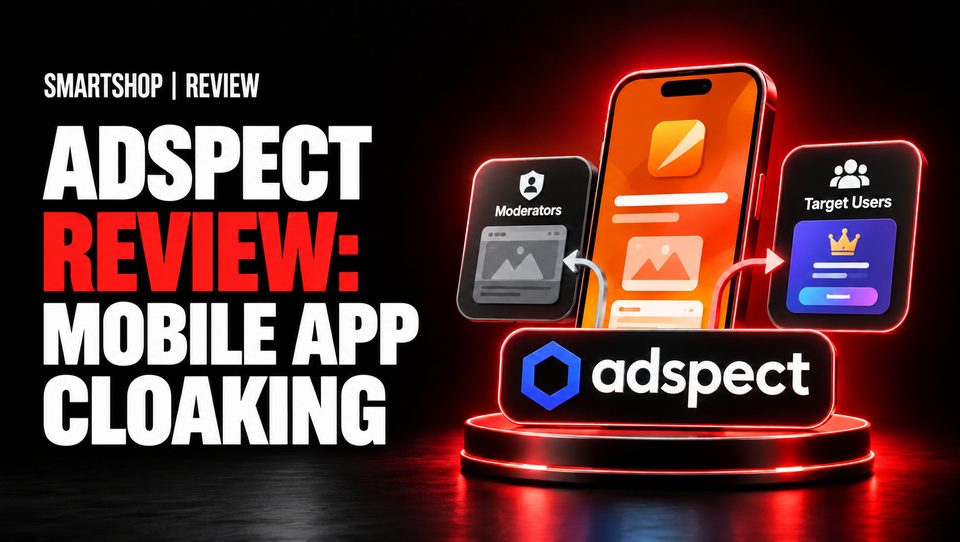
Simply put, at the same URL, advertising platform moderators and bots are shown a safe, “white” page (Safe Page), while real target users are shown the actual offer page (Money Page).
Why Do Media Buyers Need Cloaking in 2026?
Protection Against Bans
Advertising platforms (in particular, App Store and Google Play) impose strict moderation requirements. Cloaking allows moderators to be shown only safe content, significantly reducing the risk of account and domain bans.
Protection Against Bots, Fraud, and Spy Services
Cloaking filters out a large volume of useless and harmful traffic: click farms, checker bots, spy services, and low-quality traffic.
Stable Scaling
When accounts and domains last longer, you spend less money on constant account farming, warming, and testing. This directly increases ROI, reduces cost per lead, and allows you to scale volume with greater confidence.
In 2026, cloaking is not merely a “gray-area” technology but a necessary part of professional media-buying infrastructure. As anti-fraud systems become more complex and moderation algorithms stricter, advertisers using high-quality cloaking solutions operate more consistently and scale more effectively.
Two Practical Scenarios
1. In-App Cloaking
When the app starts, it sends a request to the cloaking service's API and, based on the response, enables or hides sensitive elements:
- a paywall;
- prices and rebilling terms;
- a WebView with an offer;
- any other screens that must not be shown to a moderator.
2. WebView Cloaking
This is almost the same as conventional web cloaking. The app opens an already-cloaked link through a WebView. It is suitable when the main content is hosted on a website and the app acts as a wrapper.
In Adspect, both scenarios are supported by separate usage goals.
How In-App Cloaking Works in Adspect
The process in Adspect looks like this:
-
When creating a flow, select the goal appropriate to the source: Google Play, App Store, or the general Apps API.
-
Set up direct PHP integration: place an
index.phpfile on your own domain. The URL of this file becomes a simple HTTP API. -
The API responds:
200 OK — the user is a target user;
403 Forbidden (or any other code/error) — a moderator or non-target traffic. -
Inside the app, make a regular GET request to this URL and branch the logic:
200 → display sensitive content;
any other code or error → treat the user as a moderator and display no sensitive content.
The response format can be changed. For example, instead of an empty 200 response, return JSON:
- Action: execute PHP code.
- Page field:
echo json_encode(['user_is_legit' => true]);
The app then parses the JSON and makes its decision based on that field.
WebView as a Separate Scenario
For web content inside the app:
- Create a flow with the WebView goal.
- Perform PHP integration.
- Open the cloaked link inside the app through a WebView.
This is almost standard cloaking, except the entry point is the app's WebView rather than a browser.
What Matters in 2026
Adspect's recommendations are universal, but several points are especially important for mobile traffic.
Infrastructure
- One flow per campaign. Mixing several campaigns in one flow makes statistics and analysis after a ban less reliable.
- Domains in standard zones (.com / .net / .org), without stop words.
- Cloudflare in proxy mode to avoid exposing the server IP.
- HTTPS is mandatory.
- After a ban on one network, do not reuse domains, creatives, and white pages without changes.
Filters
- Use the strictest manual filters for country, OS, browser, and language, mirroring campaign targeting.
- For campaign review, use “Moderation” mode, adding all IPs to the blacklist. Do not launch immediately in “Filter” mode.
Error Handling
- Any response other than 200, or any request error, means moderator. It is better to show too little content than to show it to a reviewer.
- Treat timeouts and network failures as negative signals as well.
White Page / Safe Screen
- It should look like a normal website or app screen, not a redirect to Google.
- No broken links, external scripts from third-party domains (except well-known CDNs), or copyrighted materials.
- Links to terms, privacy, and cookies pages.
- Do not change the white page in a running campaign; even small edits can trigger another review.
You can use Adspect's built-in white-page generator from Comsign.io, which takes into account the conditions for reliably passing moderation.
Separate Goals
- Do not copy a Google or Meta preset for App Store / Google Play. App moderation relies on different signals.
- Use a separate goal for WebView, not one universal setting for everything.
Why Does This Matter to App Media Buyers?
Most bans in mobile traffic are not caused by a “bad account” but by a moderator seeing the real offer, price, or rebilling terms. In-app cloaking removes this risk without complex in-app redirects: a single request on startup and branching based on the response code or JSON.
Adspect supports this scenario out of the box: separate goals for Google Play, App Store, and Apps API, direct integration through index.php, and a flexible response format.
Conclusion
A cloaking service is just one element of a system for running high-quality advertising campaigns. Successful cloaking requires strict compliance with many other important conditions.
In 2026, successful arbitrage in App Store and Google Play is no longer just about finding a powerful cloaking service; it is also about building complete professional infrastructure: reliable accounts, quality resources and domains, clean infrastructure, and constant monitoring.
Those who take all these points seriously continue to work and scale consistently. See you next time!
Ready accounts with a 7-day guarantee. 10+ GEO options. Pay only after verification.
Order on Telegram